Kyro is an open-source product fromTonmoy InfrastructureOwned byEshan Roy
Tonmoy Infrastructure • Owned by Eshan Roy

Verified Kyro Capabilities

Kyro is an open-source product from Tonmoy Infrastructure, owned and architected by Eshan Roy. Every capability below is verified in the Kyro source code and backed by automated unit, integration, and security regression tests.

Dual Experience

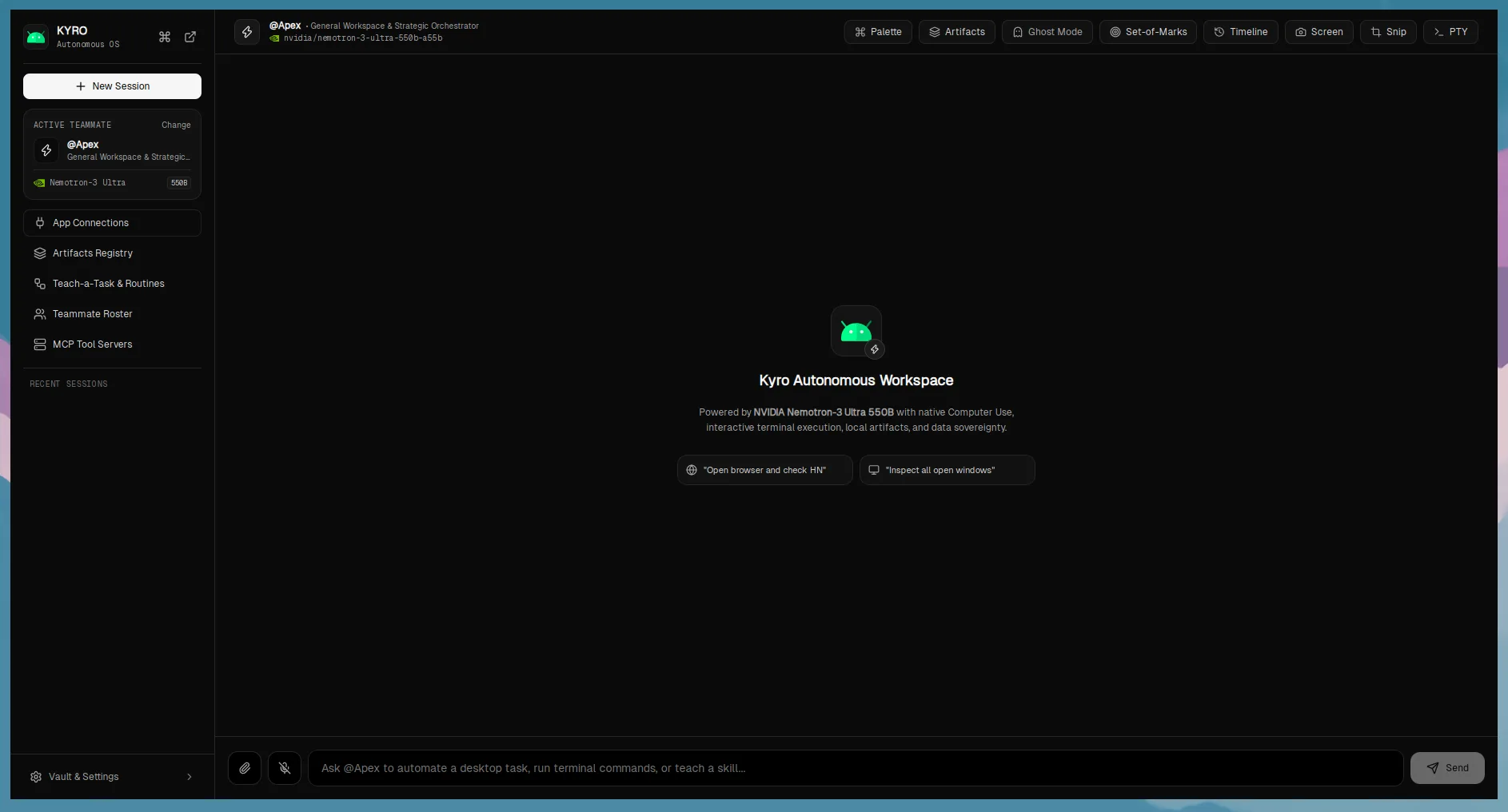
Kyro Everyday Mode interface with chat thread and quick workflow buttonsCore Workflow

Everyday Mode & Interactive Assistant

A friendly, intuitive desktop environment for organizing files, analyzing local documents, and understanding on-screen content through natural language.

Everyday Mode provides non-technical users with high-leverage desktop automation without needing to know CLI commands or file system mechanics. Users can trigger safe file organization, extract action items from multi-page PDFs, or ask questions about what is currently on their screen.

How It Works

  • •Built with React 19 and Tailwind CSS with high-contrast, accessible surfaces.
  • •Dual-mode toggle in main application shell that adapts available actions and system prompts.
  • •Interactive step timeline displaying real-time execution coordinates, tools, and pixel diffs.
  • •Direct integration with local SQLite database for conversation and task history.
Prerequisites:

Configured model endpoint for conversational reasoning.

Known Constraints:

File operations are constrained to specified user directories.

Kyro Developer Workbench with running dev servers, port detection, and log streamEngineers

Developer Workbench & Process Lifecycle

Specialized software engineering workspace with automatic project discovery, managed dev server processes, code checkpoints, and compiler diagnostic triage.

The Dev Workbench turns Kyro into an autonomous engineering companion. Kyro scans local development workspaces, detects web frameworks (Next.js, Vite, React), boots background development servers, captures live port status, and streams runtime process logs.

How It Works

  • •Dynamic project discovery via bounded search with strict exclusions (node_modules, .git, dist).
  • •Process management through stdio pipes and child process group monitoring (PGID).
  • •Automatic framework detection and server ready-state parsing across standard output streams.
  • •Interactive terminal pane powered by portable-pty and xterm.js.
Prerequisites:

Local Node.js, Rust, or Python runtime installed for targeted projects.

Known Constraints:

Dev server management tracks local child processes; does not manage external cloud clusters.

Everyday Tools

Kyro File Organizer modal with categorized extensions, duplicate detection, and rollback buttonEveryday

Safe Reversible File Organizer

Automated directory cleanup with intelligent extension rules, SHA-256 duplicate detection, collision guards, and one-click rollback manifests.

Unlike destructive batch scripts, Kyro's file organizer previews every planned file relocation before execution. It hashes files with SHA-256 to isolate duplicates, detects naming collisions, enforces strict workspace boundaries, and records every move in a rollback manifest.

How It Works

  • •Deterministic SHA-256 content hashing to find exact duplicate files without relying on file names.
  • •Atomic transaction log saved to SQLite enabling complete one-click restoration of all relocated files.
  • •Workspace containment verification preventing accidental movement of system or parent directory files.
  • •Automatic destination numbering to avoid overwriting existing files.
Prerequisites:

Read and write permissions to the selected folder.

Known Constraints:

Does not deduplicate across different physical drives or remote networked shares.

Kyro Document Assistant showing parsed PDF text, action items, and privacy noticeEveryday

Local-First Document Assistant & Diffing

Pure local parsing of PDF and plain-text files with deterministic date/action item extraction, side-by-side diffing, and zero cloud exposure.

Process sensitive contracts, receipts, and technical specifications directly on your hardware. Kyro unpacks PDF streams using pure Rust decompression (FlateDecode) and text operator parsers (Tj/TJ), extracts critical dates and commitments, and renders side-by-side text diffs.

How It Works

  • •Rust-native PDF stream decompression without external binary dependencies like pdftotext.
  • •Regex-anchored date and commitment extraction for rapid deadline identification.
  • •Side-by-side diff viewer highlighting modifications between revisions.
  • •100% local operation: document contents are never transmitted to cloud servers unless prompted.
Prerequisites:

Standard PDF (version 1.4-1.7) or plain-text files.

Known Constraints:

Scanned bitmap-only PDFs require OCR preprocessing; purely encrypted PDFs require user password.

Kyro Screen Explainer modal with captured screenshot, structured facts, and action triggersVision

Multimodal Screen Explainer

Multimodal visual fact extraction and diagnostic reasoning from current display or user-selected screen regions.

Capture the active desktop or draw a bounding box around an elusive error message, complex diagram, or UI bug. Kyro analyzes the screenshot using vision-capable LLMs, separating observable facts from inferred causes and proposing grounded 1-click remediation actions.

How It Works

  • •Native screen grabbing via xcap supporting multi-monitor high-DPI scaling.
  • •Structured analysis format dividing output into 'Visible Facts' and 'Inferred Causes'.
  • •Grounded action triggers allowing immediate delegation to the agent execution loop.
  • •Interactive region snipper for targeted visual inspection.
Prerequisites:

Configured vision-capable model (e.g. meta/llama-3.2-11b-vision-instruct, gpt-4o).

Known Constraints:

Screen capture requires desktop permissions on macOS (Screen Recording) and Wayland (pipewire).

Developer Tools

Kyro Code Checkpoint UI showing git diff and rollback triggerDevOps

Code Checkpoints & Conflict-Checked Rollback

Git-aware snapshots capturing working-tree state with unified diff generation, conflict detection, and safe restoration.

Before the agent edits your code, it automatically generates a local checkpoint. Kyro computes unified diffs, verifies working-tree cleanliness, and gives developers full power to rollback any agent modifications with zero risk of git index corruption.

How It Works

  • •Integrated Git CLI interaction with working directory status verification.
  • •Unified diff generation highlighting lines added and removed per file.
  • •Pre-rollback conflict checks ensuring untracked or subsequent human edits are not lost.
  • •Persistent checkpoint history logged in SQLite storage.
Prerequisites:

Git repository initialized in the target project workspace.

Known Constraints:

Requires git executable in the system PATH.

Kyro Build Doctor panel showing compiler error triage and proposed patchDiagnostics

Build Doctor Automated Diagnostic Triage

Compiler and test failure analyzer diagnosing Rust, TypeScript, and Vitest error output and generating actionable code repairs.

When builds fail or test suites crash, Build Doctor ingests the raw console stderr, identifies compiler error codes (Rust error[E...], TypeScript TS..., Vitest stack traces), locates offending source lines, and synthesizes candidate fix patches.

How It Works

  • •Deterministic regex pattern matchers for Rust compiler codes, TypeScript diagnostics, and test runners.
  • •Source line extraction with surrounding contextual code snippet.
  • •Candidate patch generation in unified diff format ready for user review.
  • •Integration with agent task loop for automated iterative repair cycles.
Prerequisites:

Standard compiler / test runner output logs.

Known Constraints:

Complex macro expansions or obscure third-party linker errors may require manual developer triage.

Kyro UI Audit view showing multi-viewport baselines and pixel difference metricsWeb QA

Autonomous UI Audit & Visual Regression

Automated web interface testing with multi-viewport baseline comparisons, responsive checks, and reproducible defect reporting.

Kyro discovers routes in your frontend web project, launches a local browser session, and compares rendered layouts against saved visual baselines across Desktop (1920x1080), Tablet (768x1024), and Mobile (375x812) viewports.

How It Works

  • •Persistent visual baseline storage in ~/.config/kyro/baselines/.
  • •Pixel-by-pixel diff computation yielding precise percentage difference metrics.
  • •Automatic detection of console errors, layout shifts, broken images, and accessibility issues.
  • •Markdown report generator attaching reproducible screenshot artifacts.
Prerequisites:

A running development server or static web build.

Known Constraints:

Dynamic or animated canvas elements may trigger pixel difference thresholds.

Kyro Multi-Agent Workspace showing Apex, Forge, and Scout in separate git worktreesAutonomous Teams

Multi-Agent Git Worktree Workspace

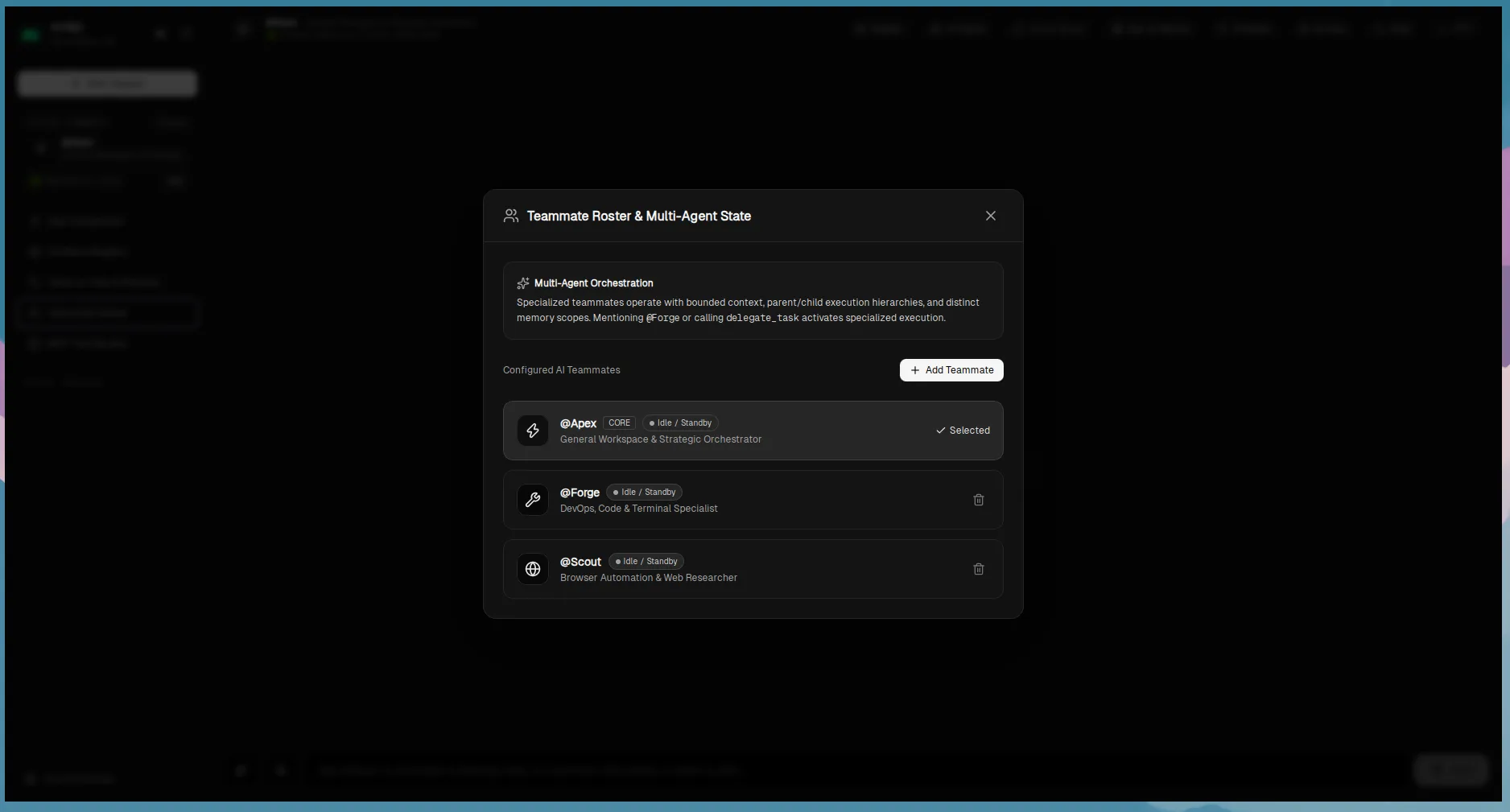
Autonomous teammate roster (Apex, Forge, Scout) executing parallel tasks in isolated Git worktrees with reviewed reconciliation.

Delegate complex initiatives to specialized AI teammates. Forge handles code implementation, Scout performs codebase research and documentation reviews, and Apex coordinates architecture. Each agent operates in its own isolated Git worktree to eliminate merge collisions.

How It Works

  • •Specialist agent roles: RepositoryInvestigator, ImplementationEngineer, TestRegressionSpecialist, CodeReviewer, DocumentationReviewer.
  • •Git worktree isolation creating separate disk checkouts from the same repository.
  • •Dependency graph execution ensuring research completes before coding begins.
  • •Human-reviewed reconciliation step before merging agent branches into master.
Prerequisites:

Git repository on local disk.

Known Constraints:

Requires adequate disk space for secondary worktree checkouts.

Security & Governance

Kyro Governance Policy configuration showing SafeAutoApprove, SandboxOnly, and AskAlwaysSecurity

Zero-Trust Centralized Authorization Engine

Strict policy enforcement at the Rust backend boundary evaluating shell tokens, path bounds, and sensitive checkpoints.

Kyro never trusts the frontend or the LLM with direct computer execution. Every consequential operation must pass through the Centralized Authorization Engine. Shell commands are parsed into exact argv tokens, rejecting command injection, chaining, and subshells.

How It Works

  • •Lexical shell parsing into exact argv tokens; rejects metacharacters (|, ;, &&, `).
  • •Three configurable policy modes: SafeAutoApprove, SandboxOnly, and AskAlways.
  • •Path confinement checking for traversal attempts (..), null bytes, and symlink escapes.
  • •Durable approval queue with atomic Compare-and-Swap (CAS) in SQLite preventing double execution.
Prerequisites:

Configured governance settings in application preferences.

Known Constraints:

Security boundaries apply to operations invoked through Kyro; does not restrict external processes.

Kyro Sandbox Status indicator probing Docker and Podman daemon availabilityIsolation

Fail-Closed Container Sandbox

Container execution engine that fails closed if Docker or Podman is absent, never falling back to host execution unsafely.

When untrusted scripts or high-risk tasks are executed under the SandboxOnly policy, Kyro dispatches commands inside an ephemeral Docker or Podman container with an isolated network. If the container engine is offline, Kyro unconditionally denies the operation.

How It Works

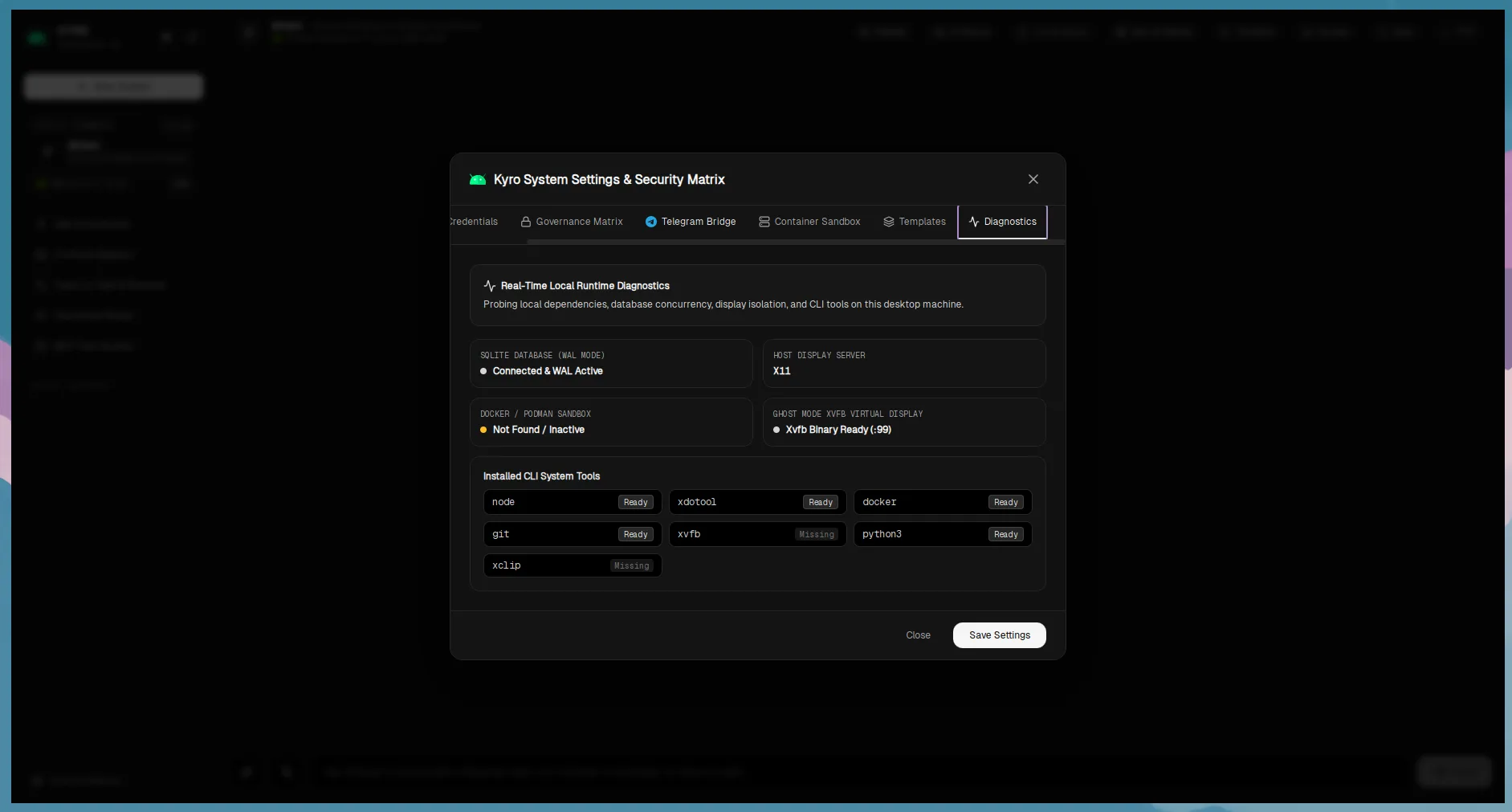
  • •Active probing of Docker daemon and Podman engine via CLI info commands.
  • •Strict fail-closed behavior: SandboxOnly policy refuses host fallback when daemon is missing.
  • •Default network isolation (--network=none) and resource limits (--memory=512m, --cpus=1.0).
  • •Ephemeral container lifecycle (--rm) preventing lingering filesystem state.
Prerequisites:

Docker or Podman daemon installed and active on the host machine.

Known Constraints:

Sandboxing requires rootless Podman or standard Docker permissions on the host.

Kyro Vault and Connections screen showing encrypted token status and zero secret leakageSecrets

Operating System Keyring Vault

Hardware-backed credential storage via OS Keyring with authenticated AES-256-GCM fallback and zero secret leakage.

Kyro safeguards sensitive API tokens and OAuth secrets using your operating system's native credential store (macOS Keychain, Linux Secret Service, Windows Credential Manager). If no keyring daemon is active, Kyro falls back to AES-256-GCM encrypted database storage with strict file permissions (0600).

How It Works

  • •Platform integration via OS keyring crates with live keyring daemon probing.
  • •Zero secret leakage: IPC commands return metadata flags (is_configured: true) instead of plaintext keys.
  • •Authenticated AES-256-GCM encryption with PBKDF2 key derivation for headless environments.
  • •Automatic secret redaction in exported templates, logs, and error messages.
Prerequisites:

OS Keyring daemon or standard user config directory write access.

Known Constraints:

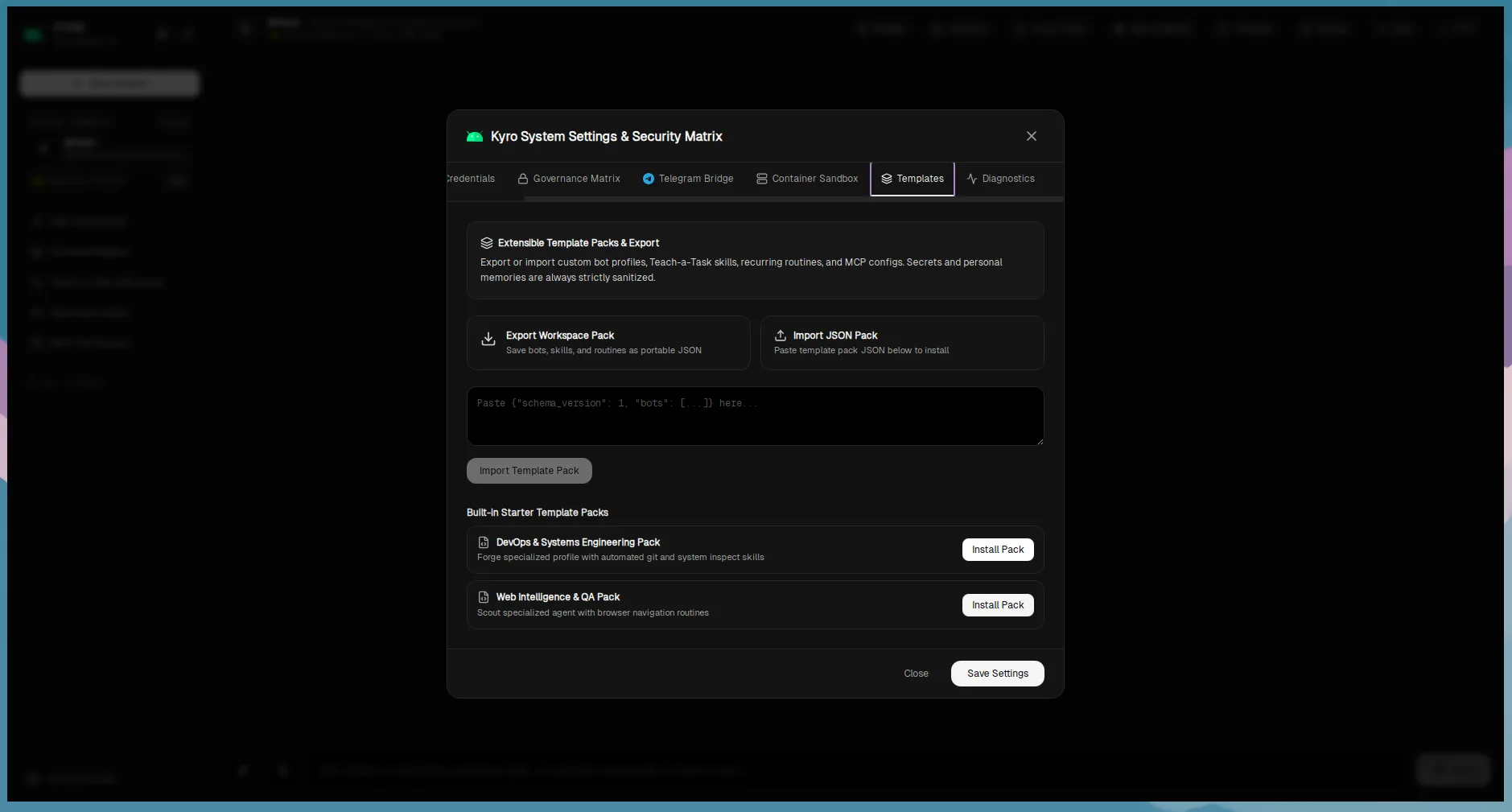
Exported template bundles strip all secrets and require recipient to reconfigure keys.

Computer Use

Kyro Browser Automation session active in developer workbenchBrowser

Provider-Neutral Browser Automation

Native WebSocket automation adapter supporting Firefox WebDriver BiDi and Chromium CDP with origin safety.

Kyro interacts with web pages using a lightweight, provider-neutral worker process. It connects to Firefox via modern WebDriver BiDi and to Chromium, Google Chrome, Brave, Edge, and Opera via the Chrome DevTools Protocol, enforcing strict origin scope boundaries.

How It Works

  • •No heavy browser framework dependencies: uses Node.js 20+ built-in WebSockets and standard protocols.
  • •WebDriver BiDi support for Firefox and CDP support for Chromium family browsers.
  • •Strict origin safety: rejects unauthorized external navigations and cross-origin redirects.
  • •Full DOM snapshotting, element targeting, and responsive viewport sizing.
Prerequisites:

Supported browser (Firefox, Chromium, Chrome, Brave, Edge) installed on host.

Known Constraints:

Extensions or strict enterprise group policies that disable debugging ports may require configuration.

Ecosystem

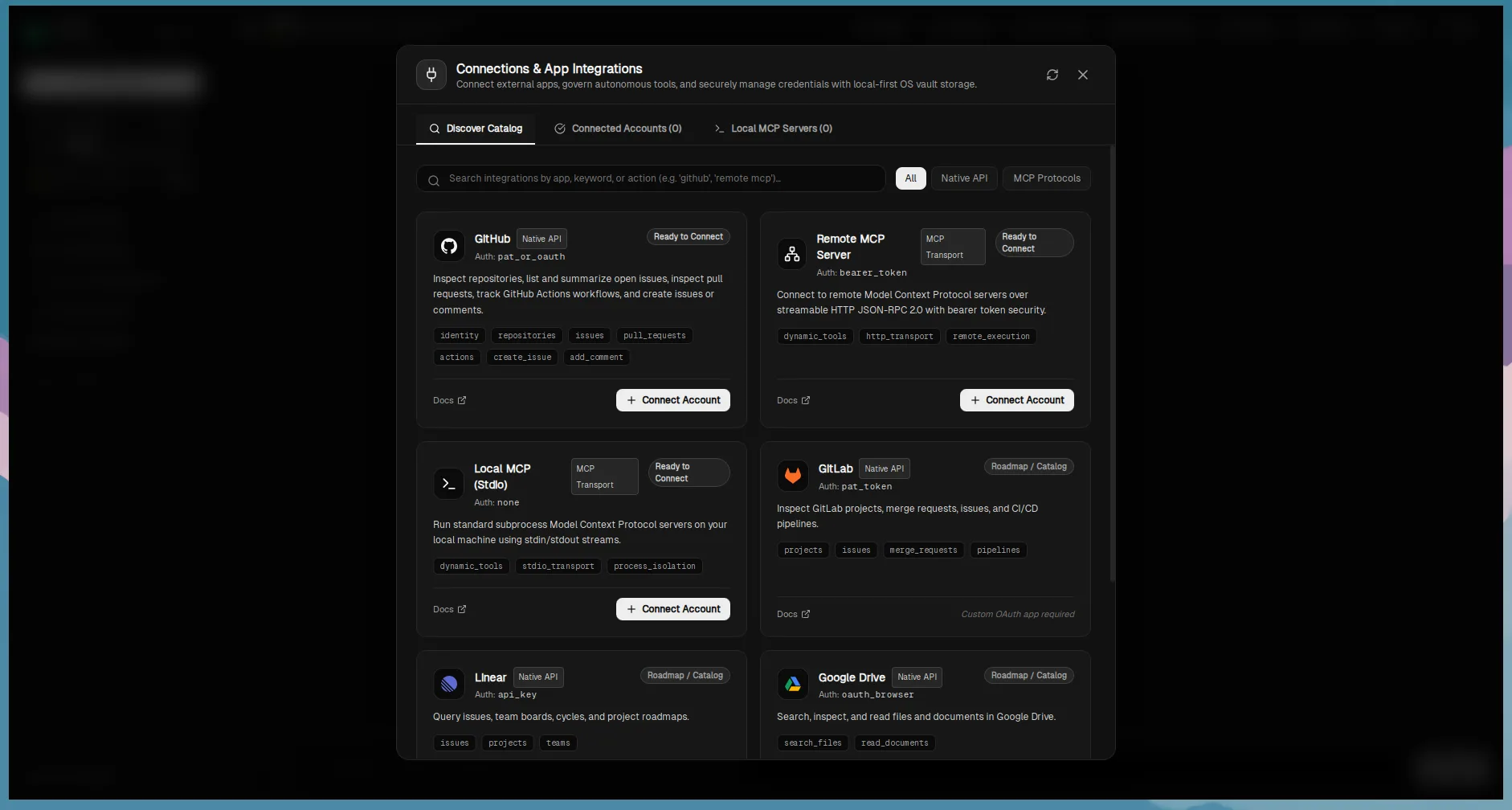
Kyro Connections and MCP screen displaying discovered tools and per-action policy rulesExtensibility

Model Context Protocol & App Connectors

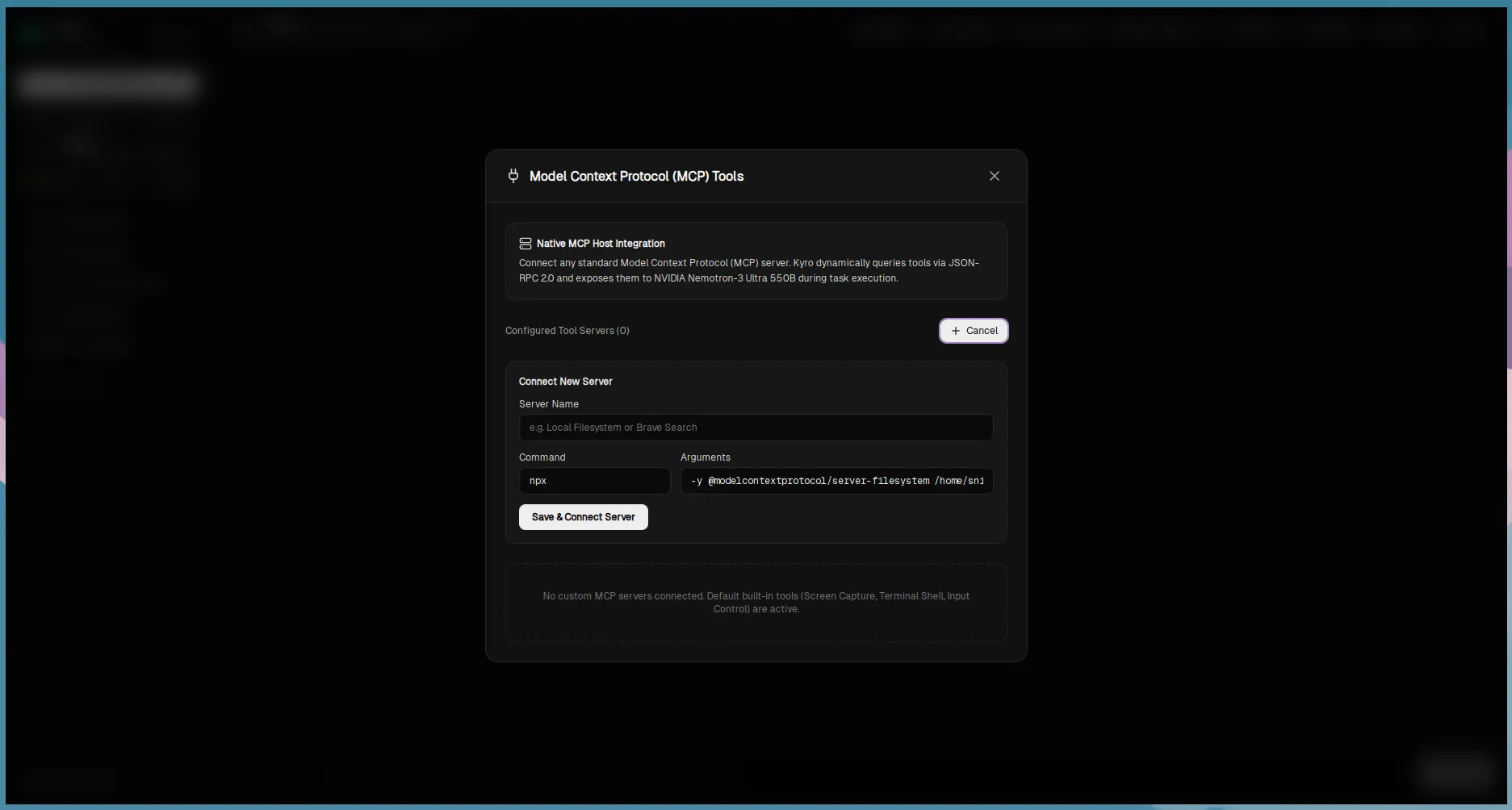
Full client implementation of the Model Context Protocol (MCP) with GitHub OAuth PKCE and per-action governance.

Expand Kyro's capabilities by attaching local stdio tool servers or remote HTTP/SSE endpoints using the open Model Context Protocol. Connect your GitHub account via PKCE OAuth 2.0 and configure granular permissions (Allow, Ask Always, Deny) for every external tool.

How It Works

  • •Strict JSON schema validation against MCP tool definitions before invocation.
  • •Server-scoped tool names (mcp__{server_id}__{tool}) preventing namespace collisions.
  • •Single-flight token refresh and secure encrypted storage of OAuth bearer tokens.
  • •External tool classification: modifying tools require explicit governance clearance.
Prerequisites:

Target MCP server executable or remote SSE endpoint URL.

Known Constraints:

Remote MCP servers require active internet connection; untrusted servers must be audited.

Kyro Teach-a-Task recorder and routine schedule configuration modalAutomation

Teach-a-Task, Scheduler & Telegram Bridge

Record repetitive desktop demonstrations, schedule recurring routines with timezone awareness, and trigger tasks remotely via Telegram.

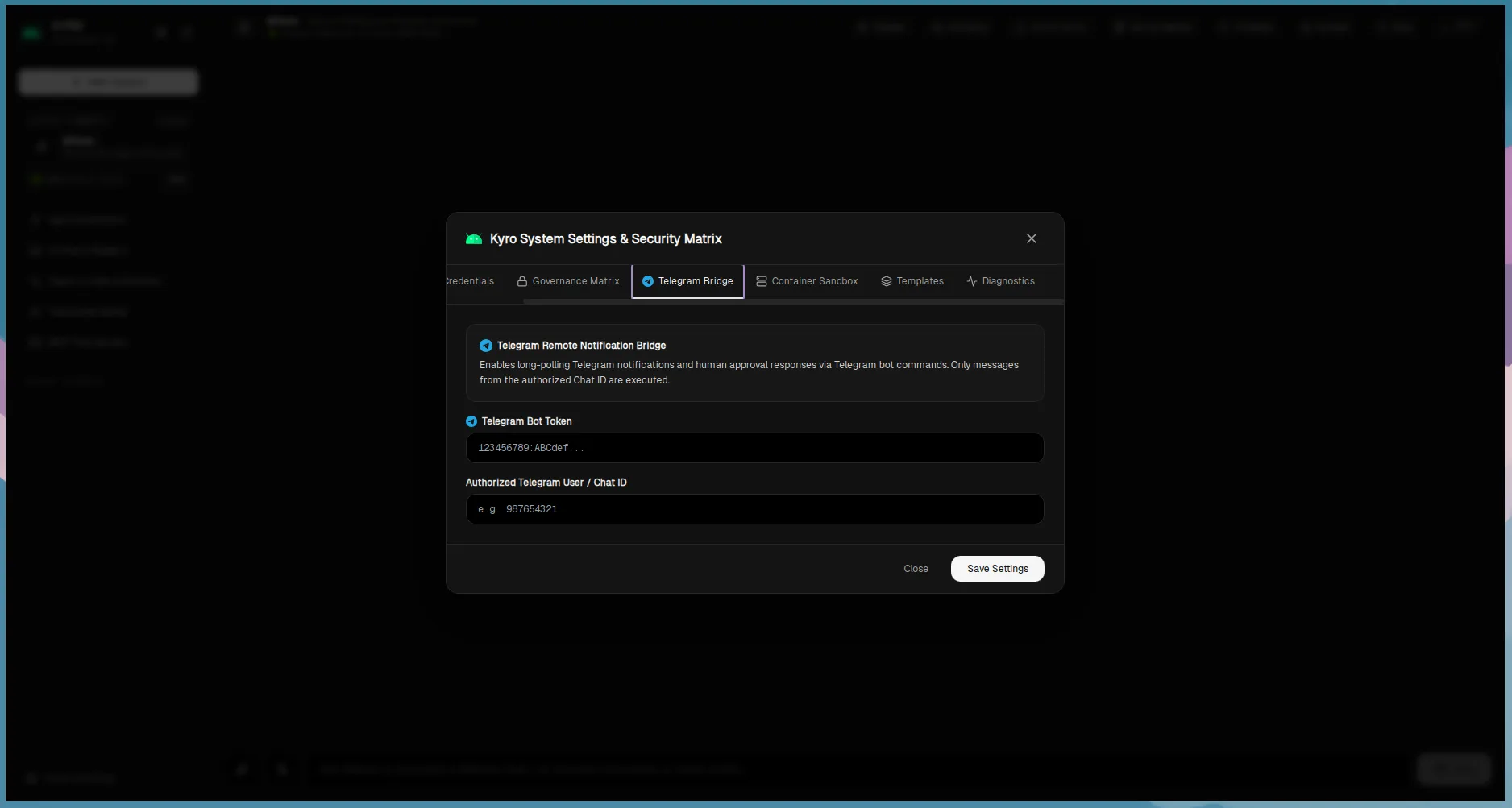
Show Kyro how to perform a task once, and it compiles your steps into a reusable, parameterized skill. Schedule recurring workflows using cron expressions with full IANA timezone support, and receive task completion alerts or trigger routines on the go through the Telegram Bridge.

How It Works

  • •Demonstration recorder capturing inputs while actively filtering credentials from replay scripts.
  • •Chrono-tz timezone support with Daylight Saving Time handling and overlap guards.
  • •Telegram Bridge with fail-closed authentication (rejects unauthorized chat IDs).
  • •Portable routine format (kyro.routine.v1) with automated secret stripping on export.
Prerequisites:

For Telegram bridge: Telegram Bot token and personal chat ID.

Known Constraints:

Desktop input replay requires the target application window to be open and focused.

Ready to try Kyro on your desktop?

Get started with free pre-built installers for Linux, macOS, and Windows.